

Why Does Data Recovery Cost So Much? It’s More Than Just Getting Your Files Back
A closer look at the equipment, specialist knowledge, donor parts and hands-on work behind difficult data recovery cases.
Let’s be honest: when someone gets a quote of $1,000, $1,500 or even more to recover data from a hard drive, the first reaction is usually something like: “Seriously? It’s just a hard drive. Why does it cost that much?”
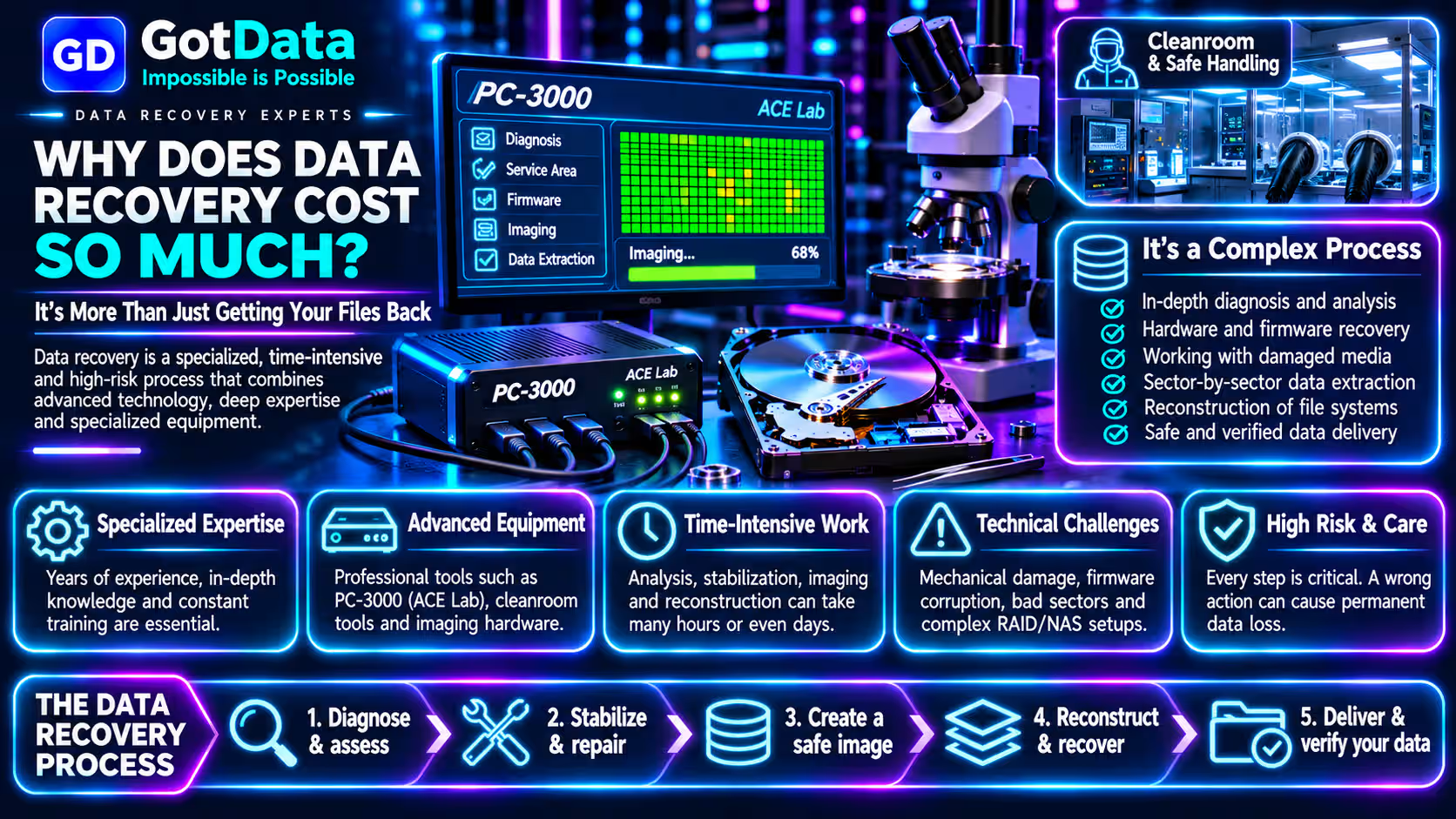
And I get it. You can buy a brand-new 4TB drive for a fraction of that price. So why would recovering data from an old drive cost so much?
The short answer: because data recovery has very little to do with simply copying files.
When a drive fails, you’re not dealing with a normal storage device anymore. You’re dealing with damaged hardware, firmware that may no longer work properly, unreadable sectors, or sometimes all of those things at once.
Let’s look at what actually goes into a difficult recovery.
1. Not every data recovery job is the same
This is probably the biggest misunderstanding.
Deleting a folder by accident is not the same as dealing with a hard drive that clicks, won’t spin up or is no longer detected by the computer.
- Logical problems: Deleted files, formatted partitions, corrupted file systems or damaged partition tables. The drive itself may still be working perfectly.
- Physical or firmware problems: Damaged read/write heads, motor problems, PCB failures or firmware issues that prevent the drive from initializing properly.
The first category can sometimes be handled with software. The second is a completely different story.
Important: If a drive has a mechanical problem, running recovery software over and over again is not going to fix it. In some cases, it can make things considerably worse.
2. Opening a hard drive is not like opening a PC
A traditional HDD contains spinning platters and read/write heads that operate extremely close to their surfaces. We’re talking about incredibly small distances. A particle of dust inside the drive can be enough to cause trouble.
That’s why mechanically damaged drives need to be opened in a controlled, clean environment. Professional labs use suitable clean benches or cleanroom facilities to reduce the risk of contamination.
These environments aren’t cheap to install, maintain or operate. And they’re only one part of the equipment a recovery lab needs.
3. Finding the right donor drive can be a headache
Imagine the read/write heads in a hard drive have failed. In some cases, the head assembly needs to be replaced before the drive can be accessed again. But you can’t just grab any hard drive of the same capacity and use its heads.
Compatibility can depend on several details:
- Exact model and hardware revision
- Firmware family and version
- Head map and preamplifier type
- Manufacturing details and other platform-specific characteristics
Finding a suitable donor can take time and money. Sometimes several candidate drives have to be sourced and tested before a compatible donor is found.
And here’s the frustrating part: even after a successful head replacement, there’s no guarantee that all the data can be recovered. If the platter surface is damaged, the result may still be incomplete.
4. Specialized equipment is expensive
A normal SATA-to-USB adapter is fine for a healthy drive. It is not designed to deal with a seriously damaged one.
Professional recovery technicians use specialized hardware and software to communicate with drives at a much lower level. One well-known example is PC-3000 from ACE Lab.
Depending on the drive platform, this kind of equipment can provide access to diagnostic functions, firmware resources and controlled imaging options that ordinary operating systems don’t offer.
It also takes experience to use it properly. Having expensive equipment on the bench doesn’t automatically make someone a data recovery technician. You need to understand what the drive is doing, which operations are safe, and when to stop.
5. Firmware problems can be surprisingly complicated
A hard drive doesn’t just contain your files. It also relies on internal firmware structures that help it initialize and manage access to the platters. Some of these structures are stored in a reserved area commonly referred to as the Service Area.
If important modules become inaccessible or corrupted, the drive may fail to initialize correctly. It might report the wrong capacity, remain busy, or simply refuse to communicate normally.
Diagnosing this is not always straightforward. A mechanical problem can even cause symptoms that look like a firmware issue. This is where platform-specific knowledge really matters. There is no universal firmware fix that works on every hard drive.
6. SSD recovery isn’t necessarily easier
People often assume SSD recovery must be cheaper because there are no moving parts. Unfortunately, that’s not how it works.
SSDs use controllers, NAND flash memory, wear leveling and a Flash Translation Layer (FTL) to manage where data is physically stored. The data you see through the operating system doesn’t necessarily correspond to a simple, continuous layout on the flash chips.
If the controller fails, accessing the NAND directly may not be enough. The data can be distributed, encoded or encrypted in ways that require the original controller or a compatible reconstruction process.
And then there’s TRIM. Depending on the SSD, its controller and what happened before the failure, deleted or discarded data may no longer be recoverable. Sometimes SSD recovery is possible. Sometimes it isn’t. But it certainly isn’t automatically easier than HDD recovery.
7. You’re paying for time, experience and risk
This is the part that often gets overlooked. A difficult recovery isn’t an automated process where someone clicks a button and waits five minutes.
A technician may spend hours diagnosing a drive, sourcing donor parts, working on firmware, stabilizing read operations and creating a usable image. Some cases take much longer. Others turn out to be unrecoverable despite all the work.
The lab still has to pay for equipment, spare drives, software licenses, facilities, training and engineering time.
And if the lab works on a “No Data, No Fee” basis, the economics become even more complicated. Failed cases still consume time and resources, even when the customer doesn’t pay a successful recovery fee. That cost has to be accounted for somewhere.
So, is professional data recovery overpriced?
Sometimes, yes. Prices can vary enormously between companies, and a high quote doesn’t automatically mean better work. But comparing a difficult recovery to the price of a new hard drive misses the point.
You’re not paying for another storage device. You’re paying for an attempt to retrieve data that may exist nowhere else. A drive worth $50 can contain years of family photos, business records, research or work that would be impossible to recreate.
That doesn’t mean every recovery should cost thousands of dollars. A simple logical recovery shouldn’t be priced like a complex mechanical case. But when a drive needs specialized equipment, donor parts, controlled working conditions and many hours of experienced technical work, the price starts to make more sense.
The cheapest recovery is the one you never need
I know, everyone says this. But backups really are the best investment you can make. Keep multiple copies of important data, use different storage devices and keep at least one backup somewhere else.
The 3-2-1 rule is a good starting point:
- 3 copies of your data
- 2 different types of storage
- 1 copy off-site
Because paying for a backup every month is almost always easier than paying for an emergency recovery later.
One last thought: A professional recovery quote should reflect the actual problem, the work involved and the risks. A complex mechanical case and a straightforward deleted-file recovery are not the same job, and they shouldn’t be priced as if they were.
Want to learn more about data recovery?
GotData shares technical information about HDD, SSD and RAID failures, diagnostics and data recovery.
← Back to Inside Data RecoveryThis article is for informational purposes. Actual recovery procedures, costs and success rates depend on the storage device, the type of failure and the condition of the data.