

HDD Firmware Recovery Tools: Capabilities and Limits
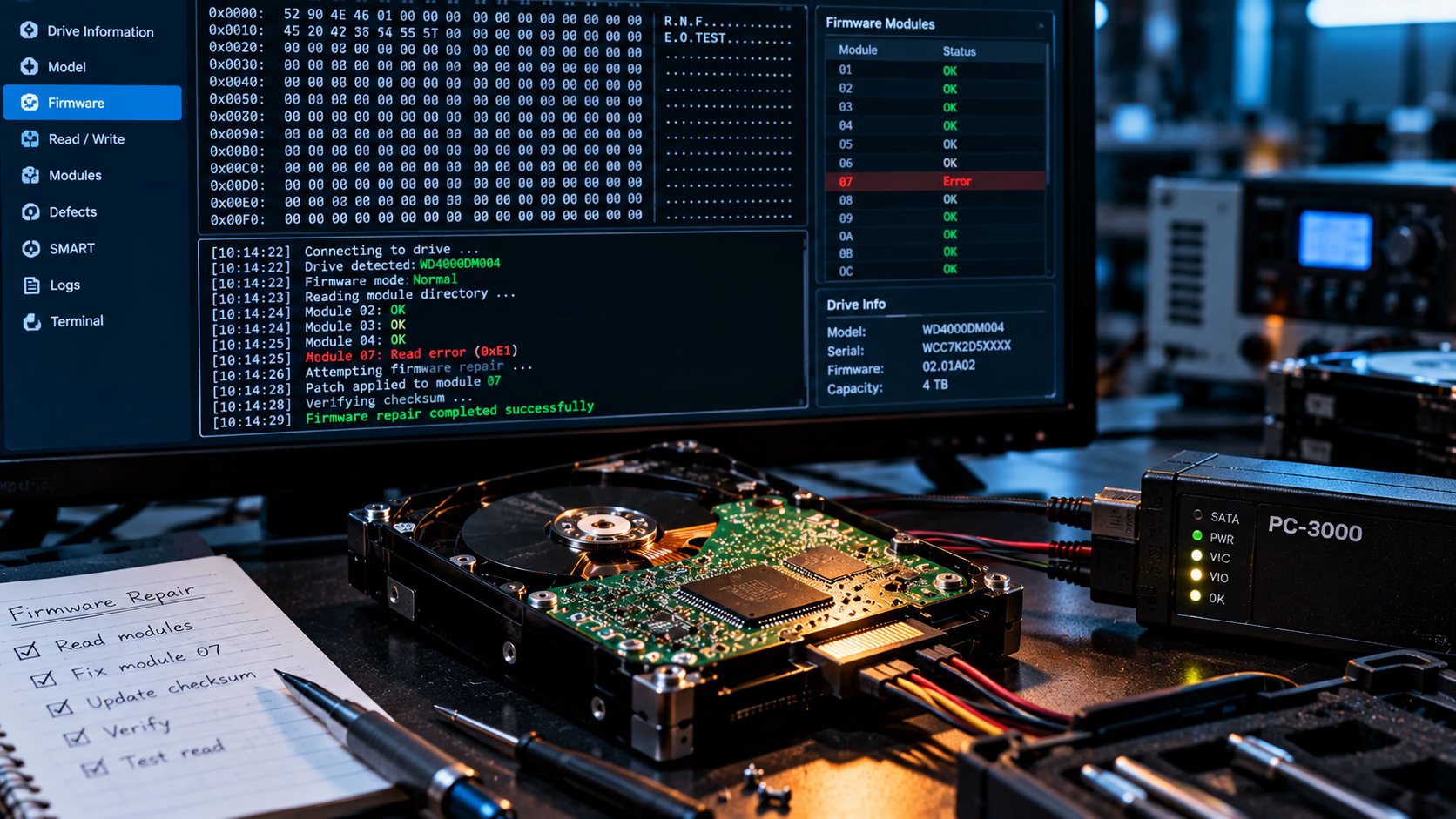
Firmwarediagnostics can provide useful evidence, but the right procedure depends on the exact drive family, firmware generation, and condition of the device.
A practical guide to hard-drive firmware diagnostics, service-area access, common misconceptions, and safer data-recovery decisions.
Hard-drive firmware recovery tools can reveal information that ordinary computer utilities cannot. Depending on the drive and tool, they may help technicians inspect diagnostic information, access supported service functions, and investigate specific firmware-related problems.
But these tools are not universal repair buttons.
What a tool can safely read or change depends on the drive family, firmware generation, interface, tool implementation, and condition of the device. Most importantly, making a drive respond again does not necessarily mean its files have been recovered.
This guide explains what HDD firmware tools can do, where their limitations begin, and how to approach firmware-related problems with data preservation in mind.
Important: This article is a general technical overview, not a vendor-specific service manual. Procedures and internal structures vary between manufacturers and drive families. Never apply a state-changing operation to an original drive solely because it appears in a generic guide.
What Is HDD Firmware?
Hard-drive firmware is not necessarily a single file that can simply be reinstalled. A modern HDD relies on several interacting components, and their implementation varies by manufacturer and architecture.
Embedded code
The drive contains code that coordinates operations such as communication with the host system and interactions with its electronic and mechanical subsystems. Depending on the design, code may be stored or loaded in different ways.
Service-area structures
Many HDD architectures use reserved regions of the disk for firmware-related structures, metadata, or other internal information. Specialist tools may expose selected service-area functions on supported models.
Reading a service-area structure does not automatically diagnose a fault. The returned information must be interpreted in the context of the exact drive family and observed symptoms.
Drive-specific configuration
Some drives use information associated with the individual mechanism, heads, or other device characteristics. This is one reason apparently similar drives cannot always be treated as interchangeable. Matching model numbers or circuit-board identifiers do not necessarily mean that internal configuration data can be transferred safely.
Defect management and address translation
Drives may use internal structures to manage defects and map logical block addresses to their physical storage organization. Problems in these structures can affect access to user sectors, but similar symptoms can arise from other faults. Changing these structures without a supported diagnosis can make recovery more difficult.
Firmware information is not the same as user data
User data is the information the owner wants to retrieve: documents, photographs, databases, backups, and other files.
Firmware-related information and user data are connected through the drive’s operation, but they are different things. A firmware tool may help investigate an access problem without recovering the files themselves. In some cases, a specialist may be able to acquire readable sectors without performing a firmware repair.
What Can HDD Firmware Recovery Tools Do?
Capabilities differ considerably between tools. The following functions may be available on supported drive families.
1. Identify the drive and collect diagnostic information
A tool may retrieve information such as:
- Model and firmware identifiers
- Reported capacity and interface details
- Selected status registers and error logs
- SMART attributes or related health information
- Vendor-specific diagnostic information
This can help narrow an investigation. However, identification may be incomplete or inconsistent when a drive is in a fault state. Diagnostic values also need context: a single attribute or error code rarely provides a complete diagnosis on its own.
2. Access vendor-specific diagnostic functions
Some specialist tools support commands or service interfaces that ordinary desktop utilities do not expose. Depending on the platform, these functions may reveal additional information about the drive’s state or internal subsystems.
It is important to distinguish between a command being available and that command being safe and appropriate for the current drive. Some operations are valid only for particular models or under specific conditions.
3. Inspect supported service-area structures
On supported drives, tools may read selected internal structures or inspect firmware-related modules. This can help investigate a particular fault hypothesis, such as suspected corruption or inconsistent metadata.
There are important limitations:
- Not every drive exposes the same structures.
- Reading may be supported even when safe modification is not.
- A successful read does not prove that the returned data is correct.
- A suspicious value does not automatically prove that it caused the fault.
- A procedure may differ between generations of the same manufacturer’s drives.
4. Examine logs and internal information
Internal logs and diagnostic records can provide useful evidence. They may help establish a timeline or reveal recurring symptoms, but they are not infallible. Logs can be incomplete, overwritten, ambiguous, or specific to a particular implementation.
SMART information is useful, but it cannot predict every failure. A drive can have a serious problem even when selected health indicators appear normal.
5. Support documented, model-specific service procedures
Some tool and drive combinations support advanced service procedures or controlled firmware-related operations. These must be evaluated individually.
A function appearing in a tool interface does not mean it is suitable for every drive, firmware revision, or failure state. Before considering a procedure, verify its applicability, preconditions, and risks.
6. Help determine the next recovery step
One of the most valuable uses of firmware diagnostics is helping decide what to do next. Findings may suggest that the priority is to:
- Preserve readable data
- Create a controlled image or clone
- Investigate a possible electronic fault
- Stop powered testing because mechanical damage is suspected
- Consult model-specific documentation
- Refer the drive for specialist examination
A useful tool is not simply one that performs many operations. It is one that helps the operator make a better decision about the specific case.
What Firmware Tools Cannot Do
Firmware tools have limits. They cannot remove the physical and logical constraints of a storage device.
They cannot repair physical media damage through software
A firmware operation cannot restore a scratched platter surface or reverse physical degradation of the recording layer. If a drive has a serious mechanical fault, continued operation can worsen the damage or reduce the chances of successful recovery.
A suspected mechanical problem should not be treated as a firmware issue merely because a tool reports an error.
They cannot guarantee access to user data
A drive may accept diagnostic commands but fail when reading user sectors. Possible reasons include mechanical problems, unreadable media, electronic faults, internal configuration problems, encryption, or a combination of issues.
Restoring one function does not establish that every other function is working.
They cannot recreate data that is no longer recoverable
Changing a drive setting cannot recreate original file contents that have been overwritten. If sectors are physically unreadable, a firmware change does not guarantee that the information can be retrieved.
The outcome depends on what information remains accessible and what can be reconstructed from available evidence.
They cannot make every operation reversible
Some operations modify persistent state. An unsuccessful or inappropriate operation can make a drive less accessible or complicate further diagnosis. Saving a copy of selected information may help, but it does not guarantee that every change can be safely reversed.
They cannot replace a sound acquisition strategy
When a drive is stable enough to read, creating a controlled image may be more valuable than attempting a firmware modification. An image provides a working copy for further analysis and reduces the need to repeatedly access the original device.
An unstable drive may require careful control of retries, access patterns, and operating time. Aggressive scanning can be counterproductive.
They cannot guarantee long-term reliability
A drive that becomes accessible after a service operation is not necessarily suitable for continued use. Successful recovery and reliable long-term storage are different outcomes.
Important recovered files should be stored on healthy, separate media and verified.
Read-Only Diagnostics vs. State-Changing Operations
A fundamental question when using a firmware tool is whether an operation observes the device or changes it.
Read-oriented diagnostics
Read-oriented operations are generally a sensible starting point because they are intended to collect information rather than alter persistent state. Examples may include reading identification data, retrieving supported logs, or inspecting selected internal structures.
However, read-oriented does not mean risk-free. A mechanically unstable drive can deteriorate during powered operation, and repeated attempts to obtain information may not be justified. The condition of the device matters as much as the command itself.
State-changing operations
Depending on the platform, state-changing operations may include:
- Writing or replacing firmware-related structures
- Modifying configuration or adaptive information
- Altering translation-related data
- Running initialization or regeneration procedures
- Clearing selected logs or resetting internal state
- Updating firmware or changing persistent parameters
These are broad categories, not recommended actions. An operation appropriate in one documented scenario may be inappropriate in another. A change can obscure evidence or introduce additional problems if the diagnosis is wrong.
Before considering a state-changing operation, ask:
- What is the fault hypothesis? What evidence supports it?
- Is the procedure applicable? Does documentation cover the exact drive family and firmware generation?
- What will change? Is the operation read-only, temporary, or persistent?
- What information should be preserved? Can the relevant state be recorded or copied safely?
- What could go wrong? Could access to user data deteriorate?
- What is the fallback plan? What happens if the operation fails?
- Is there a safer alternative? Could readable data be acquired first?
If these questions cannot be answered, further diagnosis is generally more defensible than experimenting on the original drive.
Why Drive Family and Firmware Generation Matter
A manufacturer name alone is not enough to select a procedure. Support and behaviour can differ between drive families, generations, firmware revisions, capacities, board revisions, and internal configurations.
Before selecting a procedure, record as much of the following as can be obtained safely:
- Manufacturer and full model number
- Reported firmware revision
- Capacity and interface
- Relevant board identifiers, where applicable
- Symptoms and when they began
- Whether identification is consistent
- Whether the drive disconnects, resets, or behaves abnormally
- Previous repair or recovery attempts
- Exact tool name and version
- The operation being considered and its documented support status
Do not assume that support for basic identification means the tool supports every advanced function for that drive. Likewise, do not copy a procedure from one model to another just because their labels look similar.
Compatibility depends on the interaction between hardware, firmware, unique configuration information, and the tool’s implementation. Verify the exact combination rather than inferring compatibility from superficial similarities.
Common Misconceptions About HDD Firmware Recovery
“The drive identifies, so its firmware is fine.”
Why this is incorrect: Identification only shows that some part of the communication path is functioning. Other internal functions or user-sector access may still be impaired.
Better approach: Treat identification as one observation and evaluate the remaining symptoms.
“If I can read a module, I should rewrite it.”
Why this is incorrect: A successful read does not establish that the module is defective. The data may be valid, or the apparent problem may originate elsewhere.
Better approach: Establish a supported fault hypothesis before considering a write operation.
“A firmware reset is a harmless first step.”
Why this is incorrect: Reset and initialization procedures can change persistent state. Their effects depend on the command, platform, and current condition.
Better approach: Understand the operation and its preconditions. Do not use a reset as a generic experiment.
“A donor PCB will solve a firmware problem.”
Why this is incorrect: A replacement board may not contain the drive-specific information required by the original mechanism. Matching labels do not guarantee interchangeability.
Better approach: Verify the electrical and firmware requirements for the exact drive.
“Firmware repair means the data is recovered.”
Why this is incorrect: Firmware-level access and data recovery are different milestones. The drive may still have unreadable sectors, damaged file-system structures, or encryption-related constraints.
Better approach: Judge success by the data actually acquired and verified, not by a tool’s completion message.
“A successful scan proves the drive is healthy.”
Why this is incorrect: A scan evaluates selected behaviours under particular conditions. It cannot guarantee future reliability.
Better approach: Preserve important data separately and never rely on a previously failing drive as the only copy.
“One tool supports every drive from a manufacturer.”
Why this is incorrect: Tool coverage varies. A tool may identify a device but lack support for a particular service operation.
Better approach: Check current compatibility information for the exact model and operation.
“More diagnostic activity always produces a better diagnosis.”
Why this is incorrect: Repeated testing can consume time, obscure the original state, or stress an unstable drive.
Better approach: Choose tests to answer specific questions. Stop when further testing is unlikely to improve the decision or may increase risk.
A Safer Diagnostic Workflow
The right workflow depends on the symptoms, device condition, and value of the data. This general framework is not a substitute for a model-specific service procedure.
Step 1: Preserve the initial evidence
Record the drive’s identification, symptoms, connection behaviour, and messages already observed. Keep track of previous attempts. Avoid repeatedly power-cycling an unstable drive simply to collect more screenshots.
Step 2: Assess physical and electrical warning signs
Clicking, scraping, repeated spin-up attempts, burning smells, liquid exposure, or unusual heating are reasons to stop routine experimentation. These symptoms do not establish a specific fault by themselves, but they can indicate that additional powered testing is inappropriate.
Step 3: Establish the exact device and tool support
Confirm the model and firmware family as far as safely possible. Consult current documentation for the specific operation, not merely the manufacturer or product name. If the drive cannot identify reliably, do not guess a procedure based on a similar-looking model.
Step 4: Prefer observation before intervention
Collect relevant diagnostic information where appropriate. Separate direct observations from inferences. A useful diagnosis should explain why the evidence supports one fault hypothesis more strongly than alternatives.
Step 5: Decide whether data acquisition should come first
If the drive is stable enough to read, a controlled image or clone may be the priority. For unstable media, the acquisition strategy may need to limit retries and prioritize readable regions. Aggressive scanning or repeated stress testing of the original can be counterproductive.
Step 6: Justify every state-changing operation
Only consider an operation when the diagnosis supports it and the procedure is documented for the exact target. Preserve relevant state where feasible, understand possible consequences, and establish a fallback plan. Do not copy commands from another model or run a procedure simply to see what happens.
Step 7: Verify the outcome independently
A successful command is not the same as a successful recovery. Determine whether the device remains stable, whether the expected sectors can be read, and whether the resulting image or files are consistent. Keep the original and recovered copy distinct.
Step 8: Protect recovered data
Copy important files to separate, healthy storage and verify the copy. Do not return a suspect drive to production use merely because one diagnostic or firmware operation appeared to work.
How to Evaluate Firmware Recovery Tools
The number of buttons or supported commands is not a sufficient measure of quality. Consider the following criteria.
Drive-family coverage: Does the tool explicitly support the target family and firmware generation? Is support documented for the specific operation, or only for basic identification?
Clear operation descriptions: Does the documentation explain what a command does, its preconditions, and whether it changes persistent state? Vague descriptions make risk harder to evaluate.
Diagnostic transparency: Can the tool expose useful results and error information? Can the operator record what happened and distinguish a completed operation from a verified outcome?
Preservation and recovery options: Can relevant information be recorded or preserved before a state-changing procedure? Is there a documented fallback for failure?
Versioning and support: Are tool versions and compatibility notes maintained? Is there documentation explaining changes in support across drive generations?
Evidence of actual recovery: A demonstration should distinguish between:
- The drive being detected
- A diagnostic operation completing
- A service function becoming accessible
- User sectors being readable
- A usable image being created
- Files being recovered and verified
These are different levels of success.
The best tool is not necessarily the one that performs the most operations. It is the one whose capabilities, limitations, and consequences are understood for the specific case.
Practical Scenarios: Similar Symptoms, Different Decisions
The following hypothetical scenarios show why symptoms should not be treated as diagnoses.
Scenario 1: The drive identifies but user sectors cannot be read
Observation: Model and firmware information are reported consistently, but attempts to access user data fail.
What this tells us: Some communication and identification functions are working.
What it does not tell us: It does not prove that firmware is the cause. The failure could involve internal configuration, mechanical behaviour, media readability, or another subsystem.
Reasonable next step: Gather evidence relevant to the exact drive family and assess whether controlled data acquisition is possible. Avoid assuming that a firmware write is required.
Scenario 2: The drive identifies intermittently
Observation: Identification is inconsistent across attempts.
Possible explanations: Several fault categories can produce intermittent communication, including electrical, mechanical, or internal operational problems.
What to avoid: Repeated resets and speculative firmware operations without a clearer diagnosis.
Reasonable next step: Record the behaviour, assess warning signs, and determine whether further powered testing is appropriate.
Scenario 3: A diagnostic tool reports an internal error
Observation: A tool returns an error while accessing a drive function or internal structure.
What this tells us: The requested operation did not complete as expected.
What it does not tell us: The error does not necessarily prove that the structure itself is corrupt. The command may be unsupported, its preconditions may not be met, or another problem may prevent access.
Reasonable next step: Check the exact tool documentation, compatibility notes, and error context before selecting another operation.
Scenario 4: The drive becomes accessible after a service operation
Observation: A previously unavailable function begins responding.
What this tells us: The behaviour of that function has changed.
What it does not tell us: It does not prove that all user data is readable or that the drive is reliable.
Reasonable next step: Verify access to the required data, prioritize appropriate acquisition, and keep the recovered copy separate from the original.
Scenario 5: A replacement board changes the symptoms
Observation: After a board replacement, the drive behaves differently.
What this tells us: The hardware configuration has changed and the observed behaviour is different.
What it does not tell us: It does not prove that the original board was the only fault or that the replacement is fully compatible.
Reasonable next step: Reassess the evidence and confirm the relevant hardware and drive-specific requirements rather than assuming the problem is solved.
Documentation Makes Technical Work More Reliable
Good technical work should be explainable and reproducible. For a firmware-related case, record:
- Exact drive model and reported firmware revision
- Tool name and version
- Connection method and relevant setup details
- Symptoms before intervention
- Diagnostic operations performed
- Results and error messages
- Any state-changing operations
- Changes in drive behaviour afterward
- Imaging and verification results, where applicable
- Remaining uncertainties
When sharing a case publicly, remove serial numbers, customer identifiers, private data, license keys, and other sensitive information. Do not publish proprietary firmware modules or confidential customer data without authorization.
It is also useful to distinguish observations, interpretations, and conclusions.
For example:
- Observation: The drive identifies intermittently.
- Interpretation: The communication or internal operating state is not consistently available.
- Conclusion: More evidence is needed before attributing the problem to firmware.
This distinction improves technical discussions and reduces the risk of treating an unverified hypothesis as an established diagnosis.
Conclusion: Diagnose First, Preserve Data
HDD firmware recovery tools can be valuable in advanced diagnostics. They may expose internal information, support selected service procedures, and help determine a sensible recovery strategy.
Their capabilities are conditional. They cannot repair physical media damage through software, guarantee access to user data, or make a risky operation safe simply because the tool offers it.
A sound approach is model-aware and evidence-led:
- Identify the exact drive family.
- Understand what an operation reads or changes.
- Prefer observation and preservation before intervention.
- Acquire readable data when appropriate.
- Use documented, supported procedures only.
- Verify the actual data outcome, not just the command result.
- Keep recovered data separate from the suspect device.
The central principle is simple: diagnose first, preserve what is readable, and make every state-changing operation earn its place in the workflow.
Glossary
| Term | Meaning |
|---|---|
| Adaptive data | Drive-specific parameters used by some designs to account for characteristics of the individual mechanism or heads. |
| Firmware module | A logical unit of firmware-related code or data, where the platform uses such a structure. |
| Imaging | Creating a sector-level copy of a storage device or selected readable regions. |
| ROM | Read-only memory or a related non-volatile region containing code or device-specific information, depending on the design. |
| Service area | Reserved storage used by the drive for internal firmware-related structures or metadata, depending on the architecture. |
| Translator | A mechanism or data structure involved in mapping logical block addresses to the drive’s physical storage layout. |
| User data | The sectors and file contents the owner is trying to retrieve. |
Further Reading
For any specific drive or tool, prioritize current manufacturer documentation and the tool vendor’s compatibility notes. Community case reports can provide useful practical context, but a procedure that worked on one model or firmware revision should not be assumed safe for another.
When comparing claims, look for the exact model, firmware generation, symptoms, operation performed, and verified data outcome. These details matter more than a generic claim that a tool supports a particular manufacturer.
Technical educational material. This article is a general overview, not a model-specific repair procedure. Always confirm compatibility, documentation, and risks before acting on an original drive.
← Back to Inside Data Recovery