

What Happens During Cleanroom Data Recovery?
When a hard drive suffers mechanical damage, ordinary troubleshooting may not be enough. In some cases, the drive must be opened in a controlled environment to inspect or replace sensitive internal components. This is where cleanroom recovery plays an important role.
But what actually happens during cleanroom recovery? Why is a special environment necessary, and what happens to the data after the mechanical work is completed?
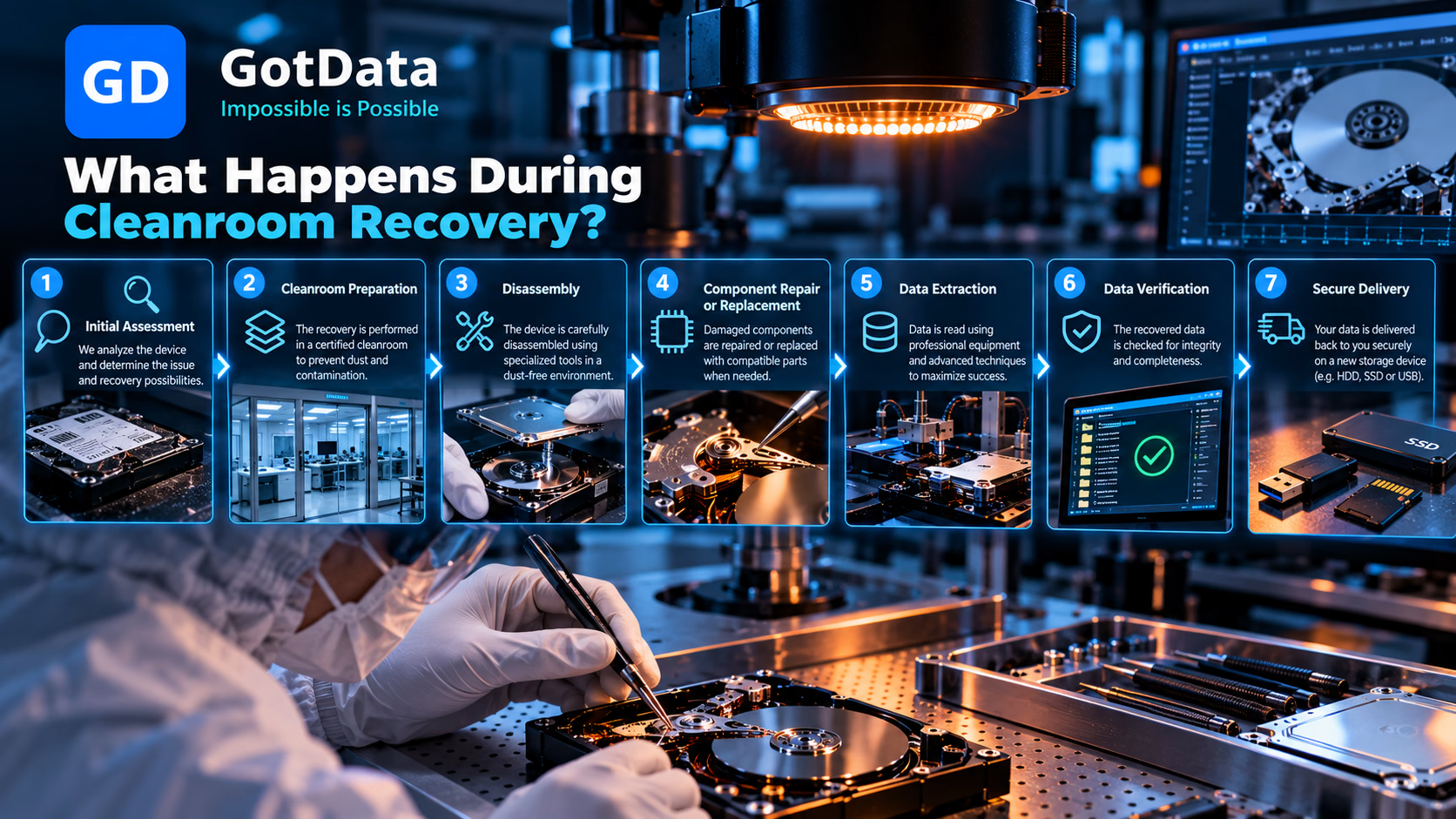
Cleanroom data recovery involves controlled inspection, specialized mechanical work and carefully planned data extraction.
1. What Is a Cleanroom?
A cleanroom is a controlled working environment designed to minimize airborne particles and contamination. It is particularly important when opening traditional hard disk drives (HDDs).
Inside an HDD, read/write heads operate extremely close to the magnetic platter surfaces. Even microscopic particles can interfere with their operation and potentially cause additional damage.
2. Why Is a Cleanroom Necessary?
Hard drives contain highly sensitive mechanical components, including magnetic platters, read/write heads and actuator assemblies.
Opening a drive in an ordinary room can expose these components to dust and other contaminants. A suitable cleanroom environment reduces this risk during necessary internal work.
3. Initial Diagnosis
Before opening a hard drive, its condition must be assessed. Technicians examine the symptoms, identify the drive model and investigate possible mechanical, electronic or firmware-related faults.
Not every defective hard drive needs cleanroom treatment. Opening the drive is only considered when the diagnosis indicates that internal intervention is necessary.
4. Internal Inspection and Component Replacement
When internal work is required, the drive can be opened under controlled conditions. The technician may inspect the read/write heads, platter surfaces and other mechanical components.
Depending on the fault, compatible donor components may be required. For example, a damaged head assembly may need to be replaced with a suitable donor assembly.
Compatibility is essential. Drives that look identical externally do not necessarily contain interchangeable internal components.
5. Preparing for Data Extraction
After the necessary mechanical intervention, the next objective is to access the stored data.
Specialized data recovery equipment can be used to communicate with the drive and carefully read accessible sectors. The recovery process may prioritize stable areas and important data before attempting more difficult regions.
6. Imaging and File Recovery
Where possible, a sector-by-sector image of the drive is created. This provides a working copy for further analysis and reduces the need to repeatedly access the original, potentially unstable drive.
The recovered image can then be examined for partitions, file systems, folders and individual files. The final result depends on the physical condition of the recording surfaces and the amount of readable data.
7. Is Cleanroom Recovery Always Successful?
No. Cleanroom recovery does not guarantee that all data can be recovered.
The result depends on the type of mechanical failure, the condition of the magnetic surfaces, the availability of compatible parts and the amount of data that remains readable.
Conclusion
Cleanroom recovery is an important part of professional mechanical hard drive data recovery. It allows sensitive internal components to be inspected and, where necessary, replaced under controlled conditions.
However, opening the drive is only one stage of the process. Accurate diagnosis, compatible components, controlled imaging and careful file validation are equally important.
If your hard drive has suffered mechanical damage or your data has suddenly become inaccessible, avoid repeated power-on attempts and unnecessary repair experiments.
GotData specializes in professional data recovery for HDD, SSD, RAID, NAS and USB storage devices in Belgium.
Discover our data recovery services →