

SSD Recovery: The Role of the Controller, NAND and Firmware
When an SSD suddenly becomes inaccessible, the problem is not always a damaged memory chip. The controller, NAND flash and firmware all work together to store, organise and retrieve data. If one part fails, the information may still be present on the drive, but accessing it can become considerably more complicated.
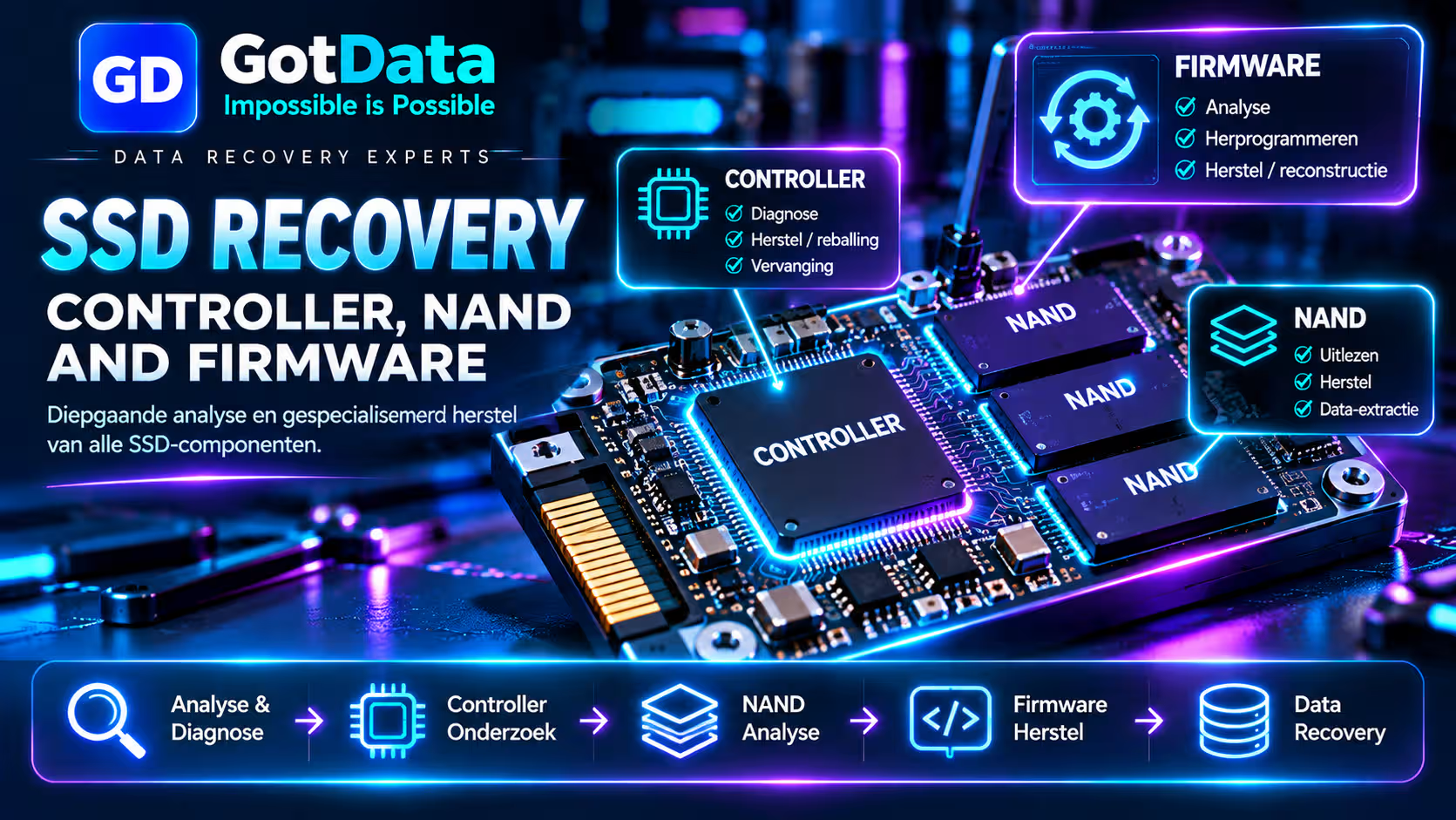
SSD recovery depends on the interaction between the controller, NAND flash memory and the firmware that manages the data.
1. The controller: the SSD’s traffic manager
The controller is the central component that coordinates communication between the computer and the NAND memory. It receives read and write requests, manages the flash chips and translates the logical addresses used by the operating system into physical storage locations.
This translation is handled by the Flash Translation Layer (FTL). The FTL keeps track of where data is stored and helps manage wear levelling, bad blocks and the movement of data inside the SSD.
If the controller develops a fault, the SSD may not be detected, may report an incorrect capacity or may repeatedly disconnect. These symptoms do not automatically prove that the controller is defective; power circuitry, firmware and NAND problems can cause similar behaviour.
2. NAND flash: where the data is stored
NAND flash is the non-volatile memory that stores the actual data. Unlike a hard drive, an SSD has no magnetic platters or read/write heads. Its memory is organised into pages and erase blocks, and the controller decides how data is distributed across the available chips.
NAND cells can store different numbers of bits. Common types include SLC, MLC, TLC and QLC. These technologies differ in density, performance and endurance, but the exact characteristics also depend on the generation of the memory and the SSD’s design.
NAND degradation or damage can lead to read errors, unstable operation or failure during startup. In some cases, individual memory chips may still contain data even when the complete SSD can no longer initialise normally.
3. Firmware: the instructions behind the drive
Firmware is the low-level software that tells the controller how to operate the SSD. It manages communication, NAND access and essential internal processes. It also works with the FTL to keep track of the relationship between logical addresses and physical flash locations.
If firmware or important internal metadata becomes corrupted or inaccessible, an SSD may be detected incorrectly, remain busy during startup or fail to make its stored data available. The memory itself is not necessarily empty or physically destroyed.
Firmware problems are particularly delicate because service commands, resets or updates can alter information needed for recovery. Applying a firmware update or factory reset without understanding the fault can make the situation worse.
4. Why SSD recovery is so complex
With many hard drives, specialists can create an image by reading sectors from the magnetic media. SSDs work differently: the controller continuously manages the physical placement of data, and the logical structure may depend on information stored across the drive.
Recovery may therefore involve diagnosing the electronics, understanding the controller and firmware, stabilising communication or, in certain cases, accessing NAND directly and reconstructing its contents. Encryption can add another layer of complexity because raw memory data may not be readable without the required keys.
There is no single method that works for every SSD. The appropriate approach depends on the exact model, controller architecture, type of failure and condition of the NAND.
5. What should you do when an SSD fails?
If the data is important, avoid experimenting with the drive before its condition has been assessed. A few precautions can help preserve the available recovery options:
- Do not initialise or format the SSD if the computer asks you to do so.
- Avoid firmware updates, secure erase commands and factory resets.
- Do not run repair utilities that write changes to the drive.
- Avoid repeated power cycling if the SSD keeps disconnecting or behaving unpredictably.
- Note the SSD model and the symptoms that appeared before the failure.
A professional diagnosis can help determine whether the problem is related to the controller, NAND, firmware or another part of the system, and whether recovery is technically feasible.
Conclusion
The controller, NAND flash and firmware form an interconnected system. The NAND may still hold the data, but the controller and its firmware are responsible for making that information accessible in the correct logical order.
This is why SSD recovery is more than simply reading memory chips. It requires an understanding of the drive’s architecture and a recovery method suited to the specific failure. When important data is at stake, careful diagnosis is safer than trial-and-error repairs.
← Back to Inside Data Recovery